

GIF studio for Mac
Make better GIFs on your Mac
Drop in a video, trim it and press Create. When you want more, Giffiti has captions that move, layers, keyframes, transitions and effects, and it exports small, sharp files.
<50 ms
to turn 75 frames at 480×270 into a GIF
0
dropped frames playing four 1080p videos plus four overlay layers
0.06 %
of the processor in use while it sits idle
8 of 8
test clips came out smaller than the GIF maker built into macOS, at the same quality
Speed and idle figures measured on an M3 Max MacBook Pro.
Simple mode
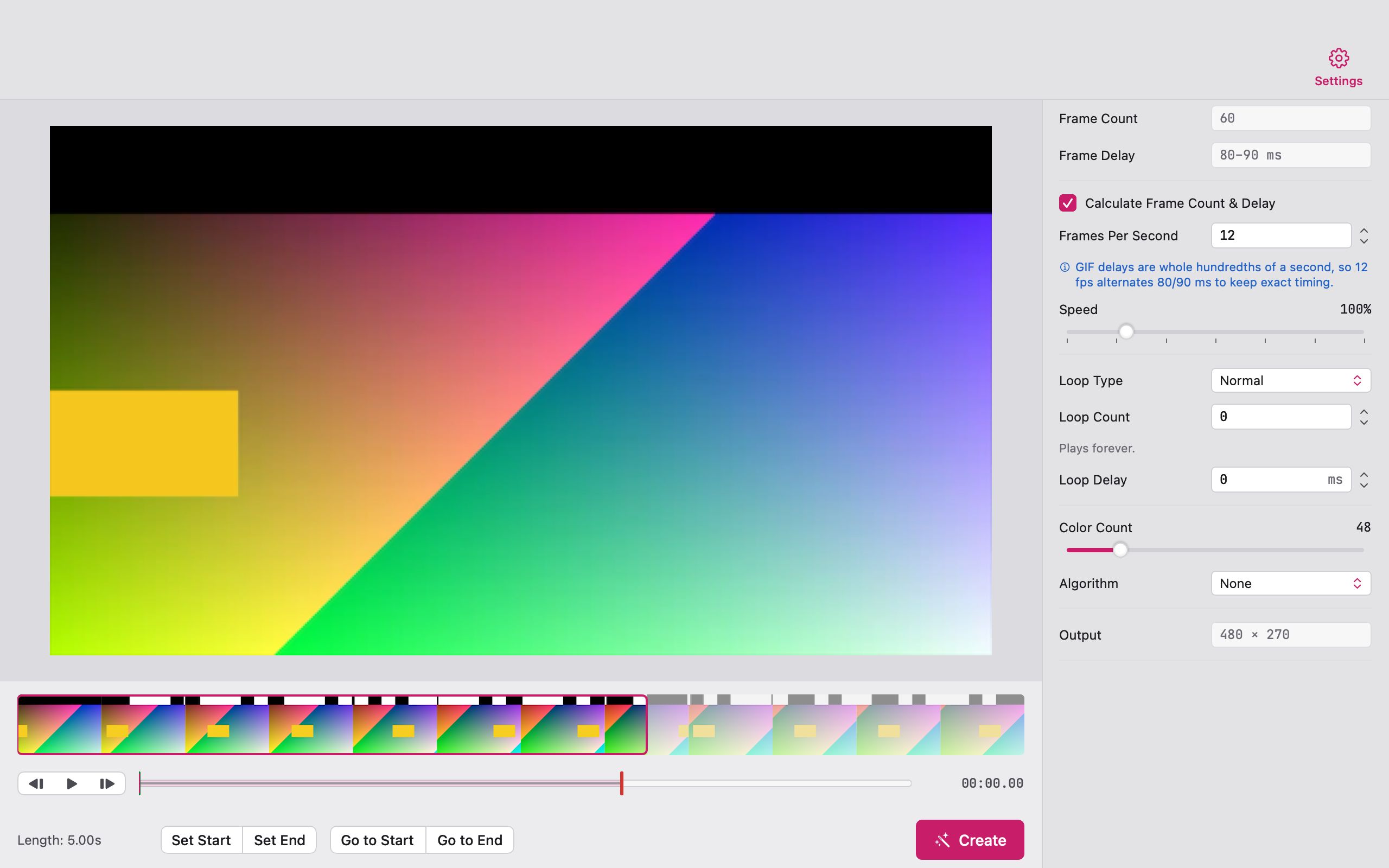
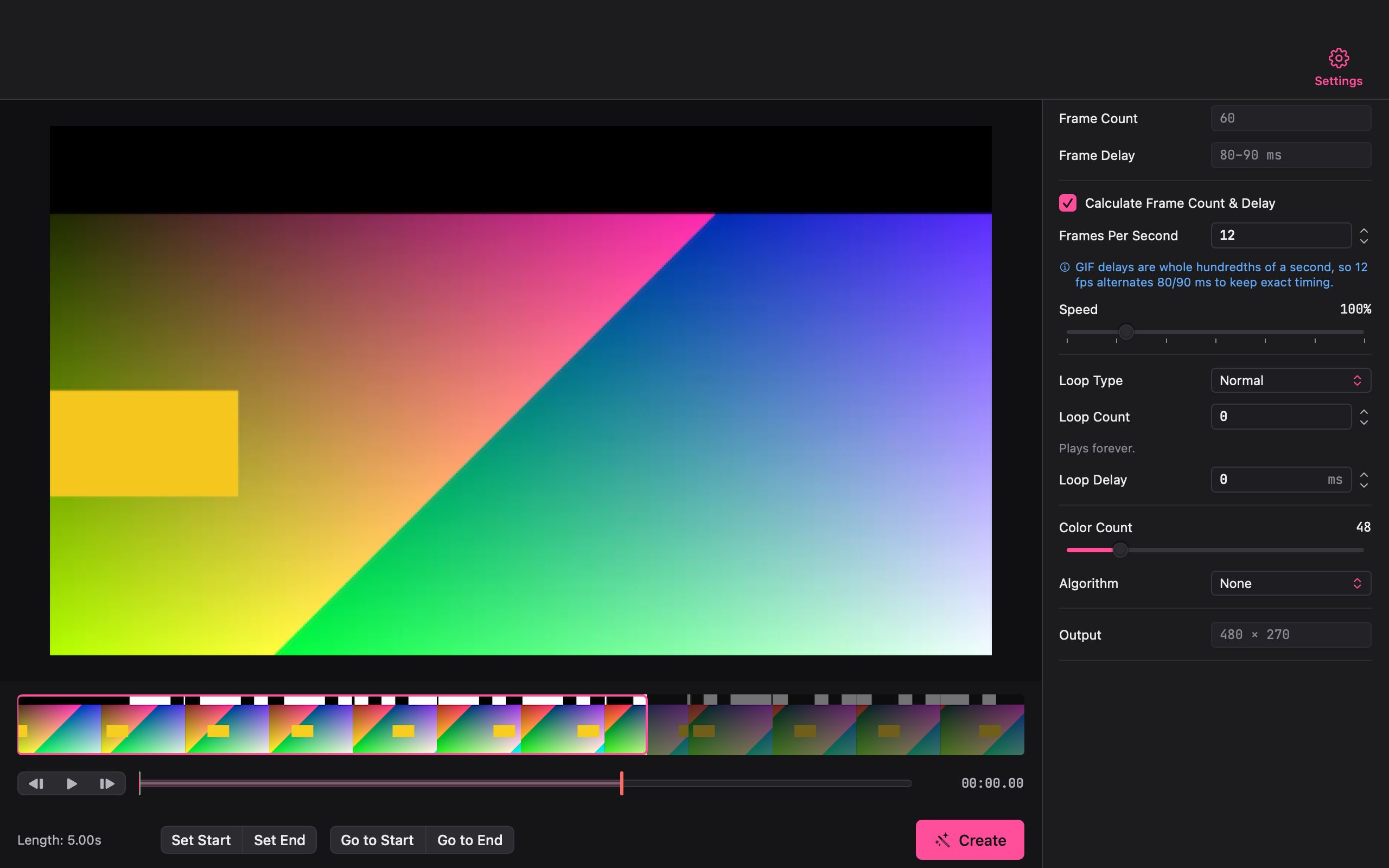
Open, trim, Create. That's the whole job.
Open a video and Giffiti shows it as a filmstrip. Click Set Start and Set End, then Create. The starting settings are ready for most clips: 12 frames per second, 48 colours, a loop that plays forever.
Loop it normally, in reverse or back and forth. Timing stays exact, portrait phone videos come out the right way up, and iPhone HDR footage keeps its colours instead of washing out.
Timeline
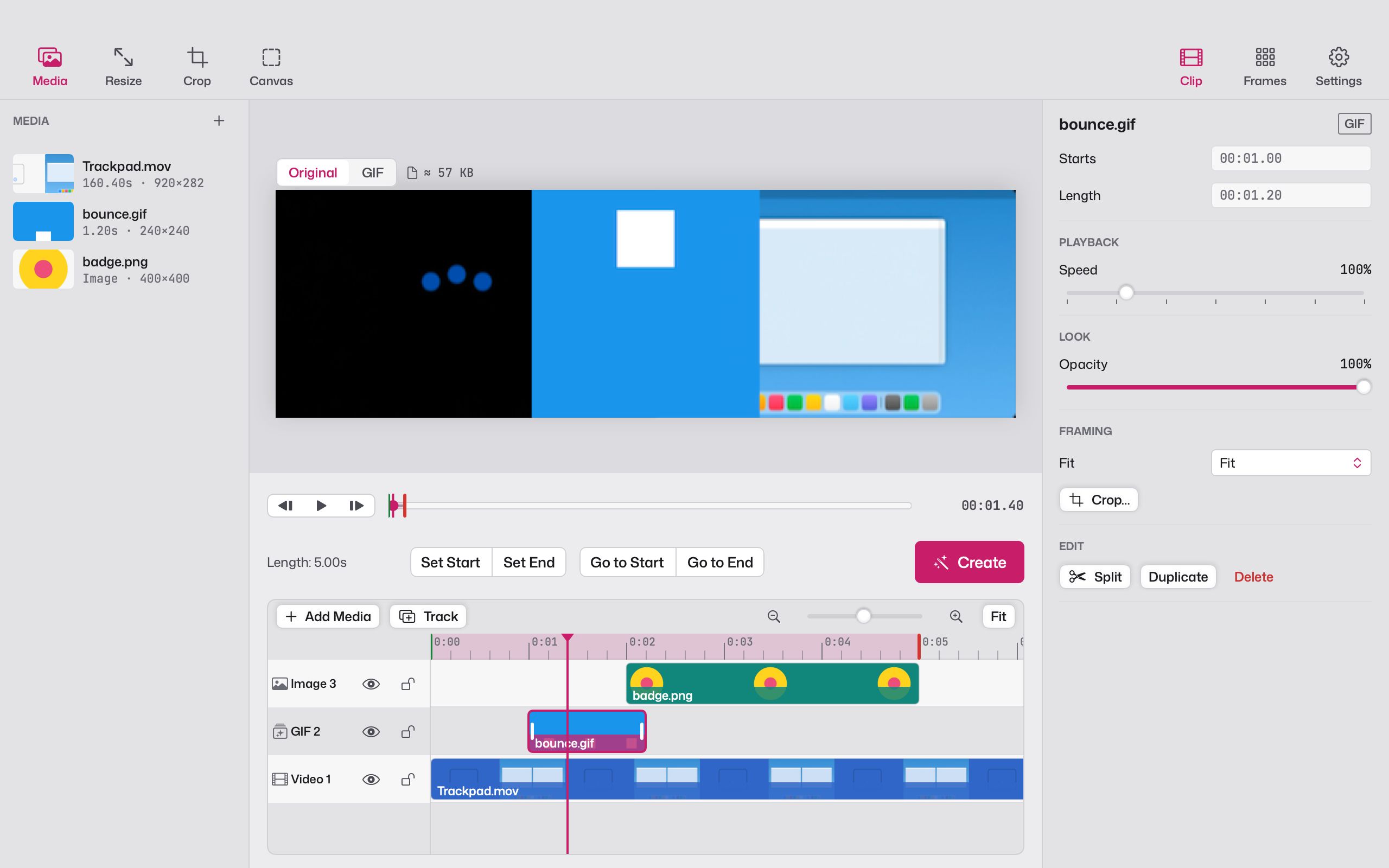
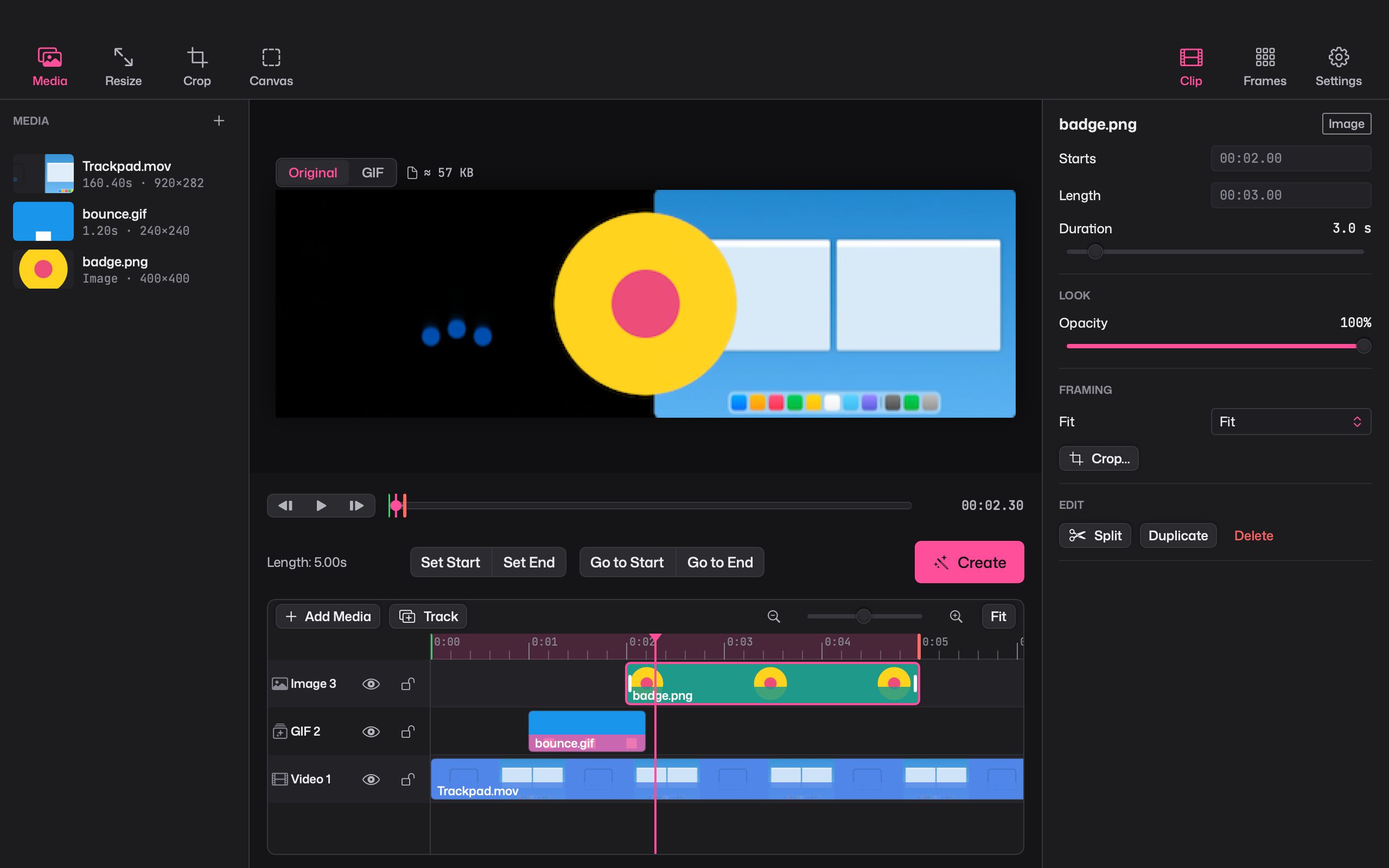
Layer videos, pictures and GIFs on a real timeline
Stack as many tracks as you need. Split, ripple delete, duplicate, change speed, lock or hide a track. Editors will feel at home with J K L to play and ⌘B to split.
Projects save as you go, with full undo. Giffiti never changes your original files.
Captions
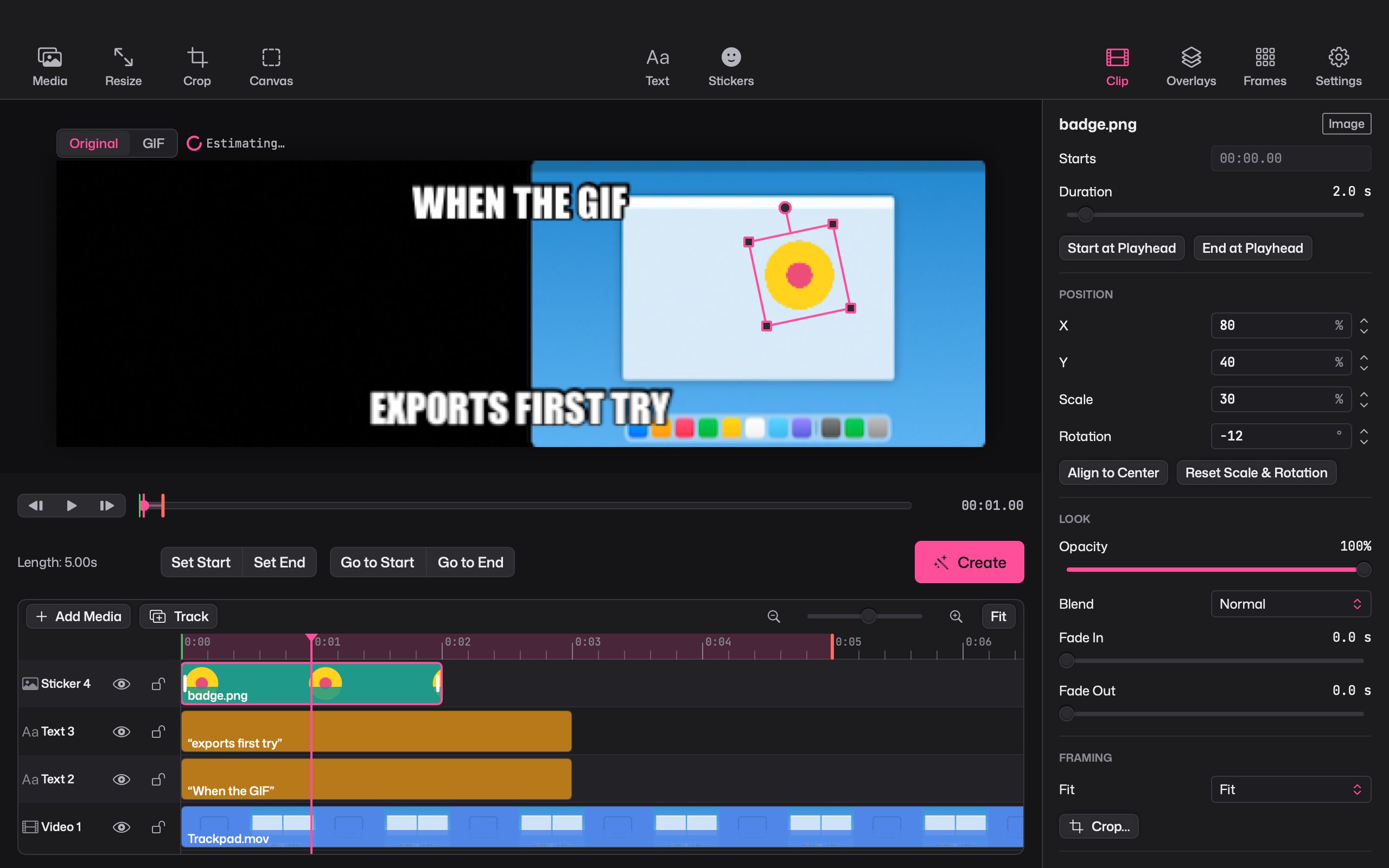
Meme captions, then make them move
Top and bottom meme captions are one click away, with stroke, shadow, a box behind the text and adjustable opacity. Choose from 41 fonts in every weight and set the letter spacing.
Then animate it: typewriter, word by word, pop, slide in or bounce, or let each letter drop, rise, pop or fade in on its own.
Keyframes and transitions
Move anything, and cut between clips in style
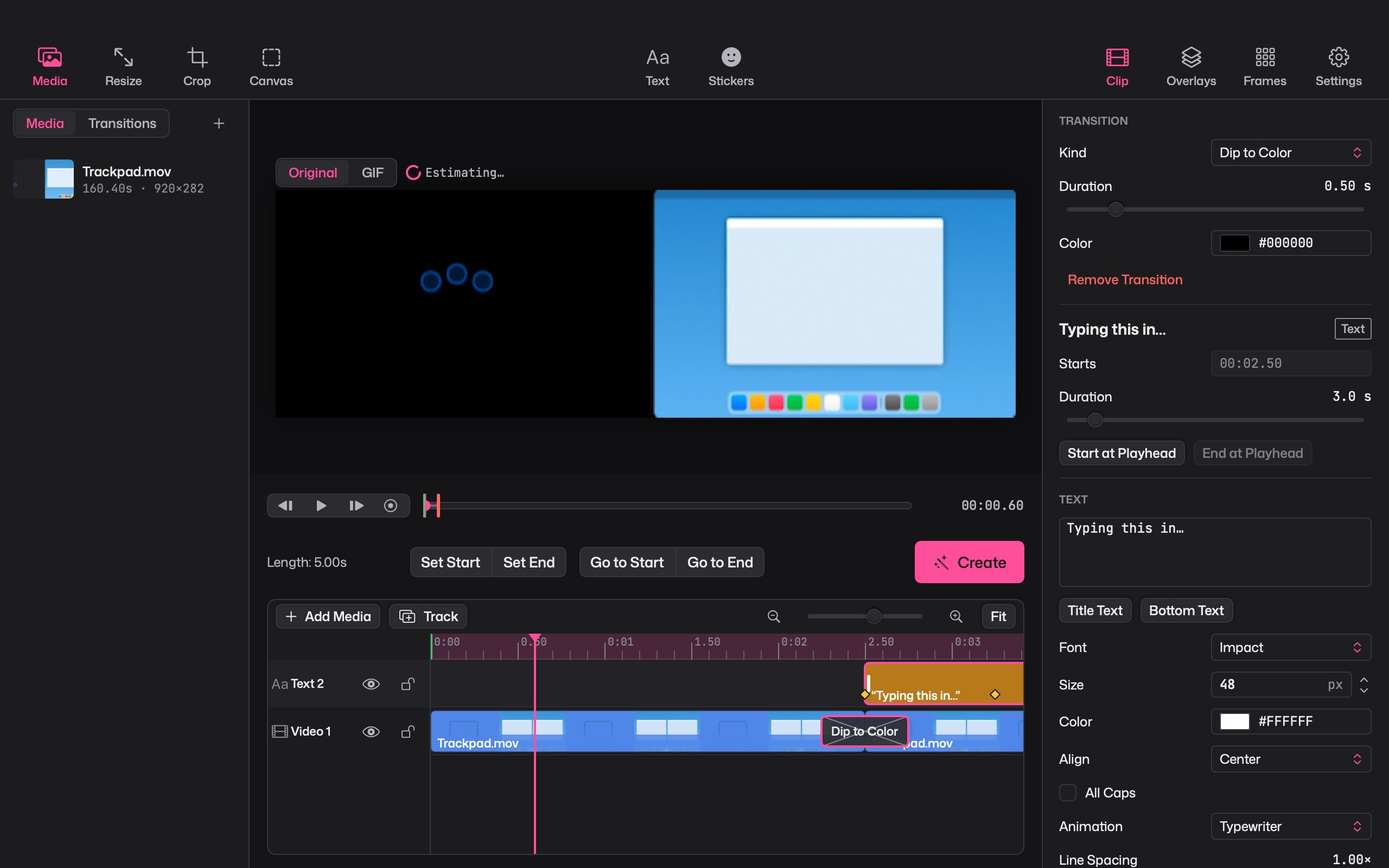
Keyframe position, scale, rotation, opacity and text reveal. Pick linear, hold or ease, or draw your own curve in the curve editor.
Join clips with 11 transitions: crossfade, dip to colour, four wipes, two slides, two pushes and a zoom.
Effects and cinemagraphs
29 effects, and stills that move in just one spot
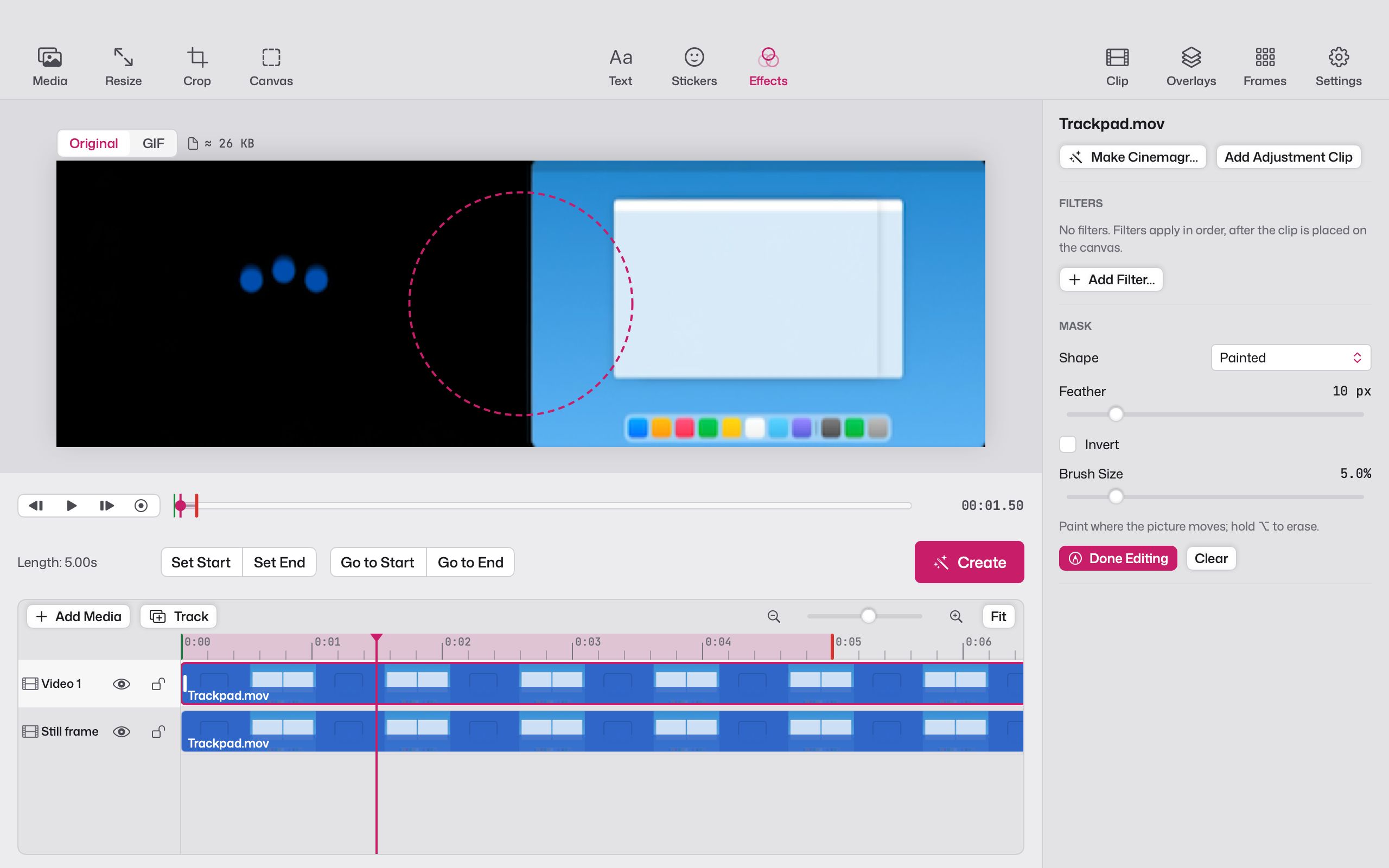
Halftone, pixelate, comic, false colour, green-screen keying and more, stacked in any order. Adjustment clips let one set of effects cover several layers, and masks (rectangle, ellipse, path or painted) keep an effect where you want it.
For a cinemagraph, paint the part that should move and the rest of the frame freezes. In our tests, cinemagraphs came out under half the size of the same clip exported plainly.
Screen capture
Record your screen or camera, straight into the editor
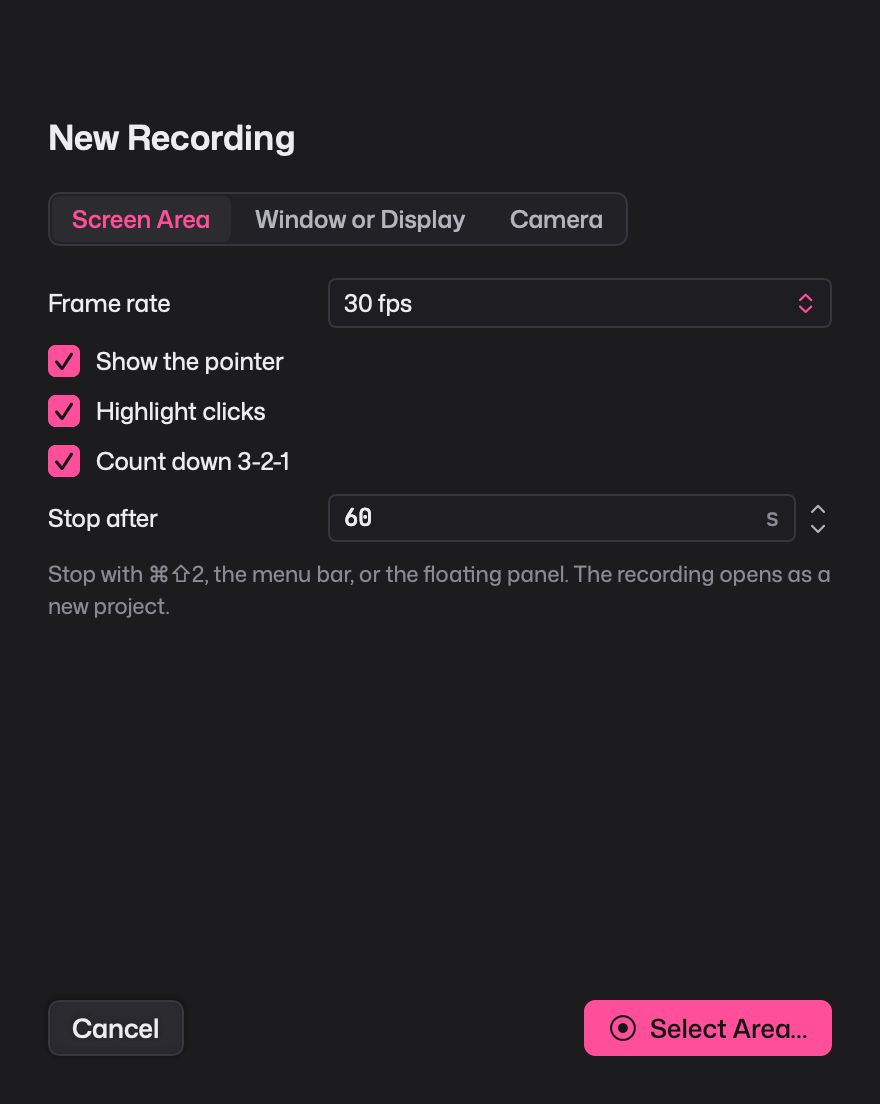
Record an area of the screen, a window, a whole display or your camera. Show the pointer, highlight clicks, count down 3-2-1, and stop after a set time if you like.
When you stop, the recording opens as a new project, ready to trim and caption.
Quality and size
Smaller GIFs that still look like your video
Giffiti chooses colours to suit each clip, smooths out the flicker that makes GIFs shimmer, and stores only what changes between frames. On all 8 of our test clips it made smaller files than the GIF maker built into macOS, at the same quality.
- See the GIF exactly as it will look, with a live size estimate as you change settings.
- Choose a dithering style, or none, and turn on lossy compression for extra savings.
- Drop, retime or hold single frames.
Export
One project, every format you need
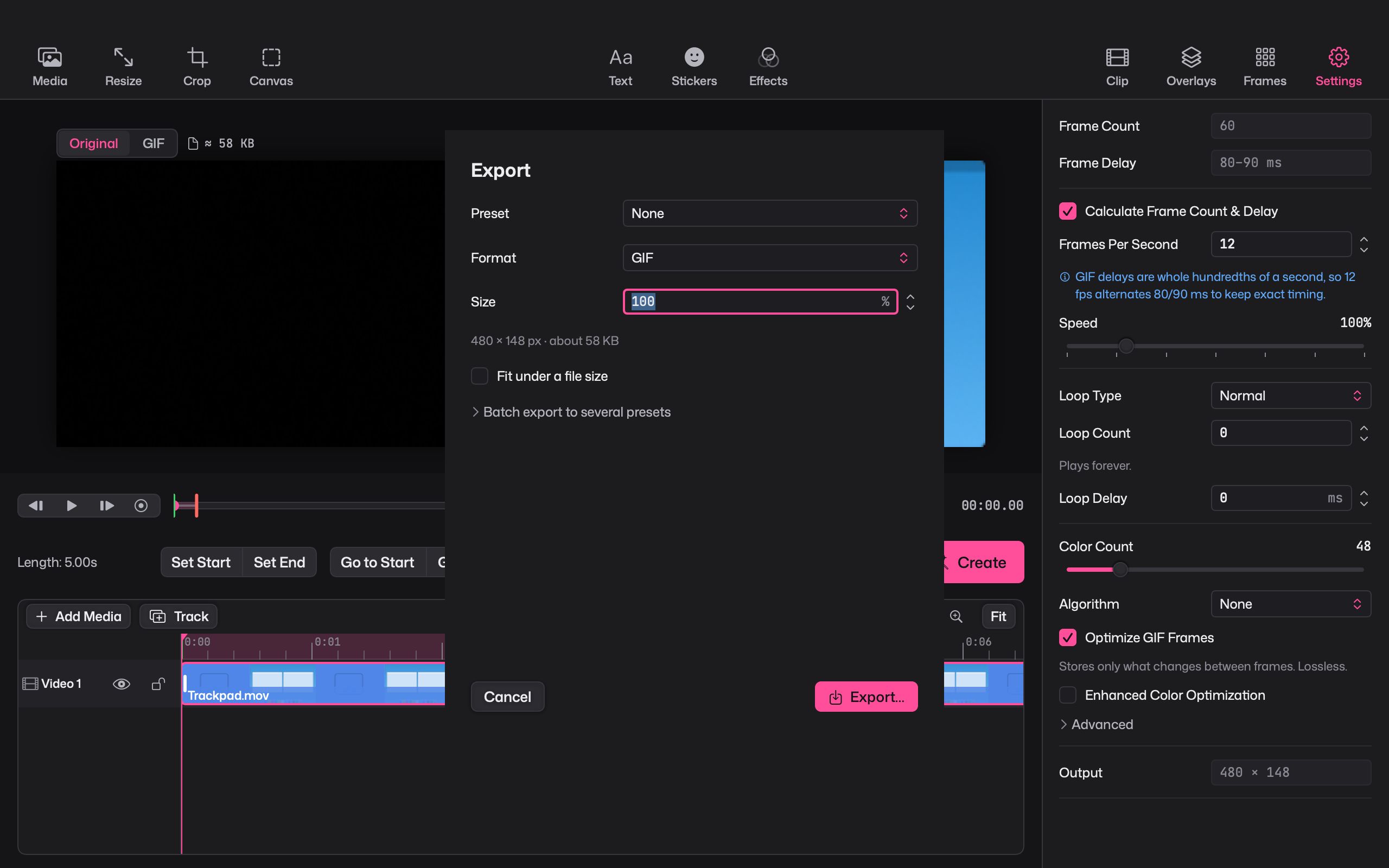
Export GIF, MP4, HEVC, HEVC with transparency, APNG or a PNG sequence, plus WebP on macOS versions that can write it.
- Slack
- Discord
- iMessage
- GitHub README
- X
- Video
Start from a preset, set a size to fit under, or export several presets at once. Press ⇧⌘C to copy the GIF, or drag it straight into a chat.
Coming from GIF Brewery?
The flow you liked, on a Mac from this decade
GIF Brewery 3 hasn't been updated since 2019, has left the Mac App Store, and was built for Intel Macs. Giffiti keeps the same open, trim, Create rhythm and the same starting settings, then adds a timeline, moving captions, transitions and modern formats. It runs natively on Apple silicon.
Giffiti vs GIF BreweryGiffiti is not affiliated with GIF Brewery or its makers.
Little things
A command palette, a welcome tour and 7 themes
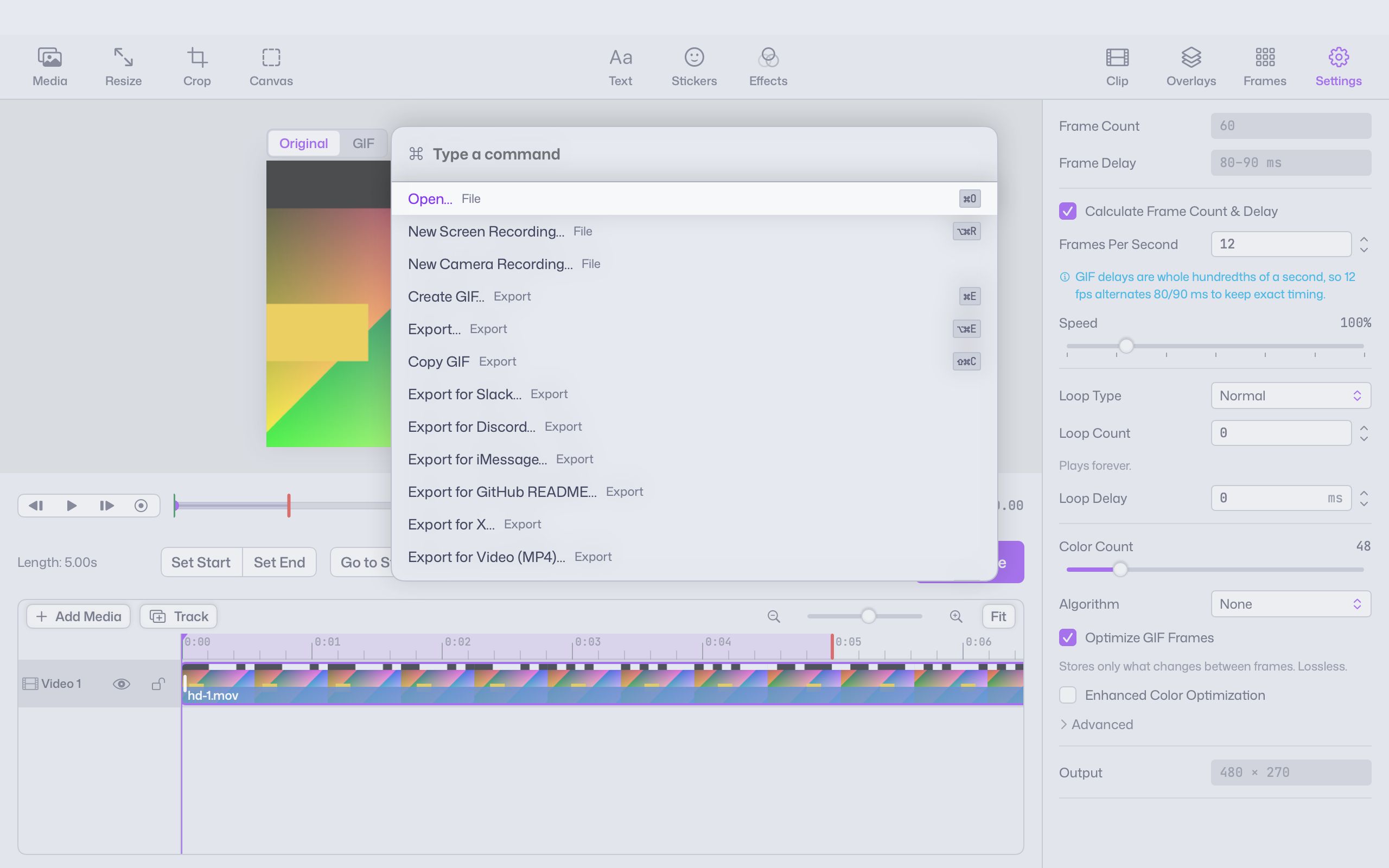
Press ⌘K and type to find any command. A short welcome tour shows you around the first time. Pick from 7 theme families, each in light and dark, or let Giffiti follow your Mac.
Privacy
Your clips stay on your Mac
- No account and no sign-in. Your videos are never uploaded.
- Exports are saved only where you choose.
- Usage sharing is off unless you turn it on, and never includes your media, captions or file names.
Compare
How Giffiti compares
Straight answers on where Giffiti fits next to the GIF tools you might already use, including where they do better.
Giffiti vs GIF Brewery 3
GIF Brewery 3 made GIFs easy for years, but it was last updated in 2019 and is no longer on the Mac App Store. Giffiti is a modern alternative with the same simple flow and a lot more room to grow.
See the comparisonGiffiti vs Gifox
Gifox lives in your menu bar and is very quick for one-off screen captures. Giffiti is a full GIF studio with a timeline, captions and effects. Here's how they compare.
See the comparisonGiffiti vs GIPHY Capture
GIPHY Capture is a free, simple screen recorder that shares to GIPHY. Giffiti is a free GIF studio that keeps everything on your Mac and goes much further on editing and formats.
See the comparisonGiffiti vs Kap
Kap is a lean, free screen recorder whose source code is public, with plugins and light trimming. Giffiti is a GIF studio for editing what you recorded. Here's how they differ.
See the comparisonGiffiti vs Gifski
Gifski is a superb converter that turns videos into high-quality GIFs and deliberately stops there. Giffiti is an editor for building the GIF itself, with captions, layers and effects.
See the comparisonGiffiti vs ezgif.com
ezgif is a free collection of GIF tools in your browser, and most of them work by uploading your file. Giffiti is a free Mac app that edits everything on your computer. Here's how to choose.
See the comparisonQuestions
Is Giffiti free?
Yes. Giffiti is a free download. There is no account and no subscription.
Which Macs does it run on?
Macs with Apple silicon (M1 or later) running macOS 15 or later. Intel Macs are not supported.
I used GIF Brewery. Will Giffiti feel familiar?
Yes. Open a video, set the start and end, press Create. The starting settings match what GIF Brewery users know: 12 frames per second, 48 colours and a loop that plays forever. Giffiti is a separate app with no connection to GIF Brewery or its makers.
Are my videos uploaded anywhere?
No. Your media is read where it sits on your Mac, and exports are saved where you choose. There is no account and nothing to sign in to.
Which formats can I export?
GIF, MP4, HEVC, HEVC with transparency, APNG and PNG sequences. WebP export appears on macOS versions that can write it.
Do exports keep the sound?
Exports are silent. Giffiti is made for loops, captions and motion, so sound is left out, even in MP4.
Does it come with stickers?
The sticker library starts empty and fills up with your own images. Import them, drag them in, or paste with ⌥⌘V, and they are ready for every project.
Make your next GIF in Giffiti
Free for Apple silicon Macs running macOS 15 or later.